- Change theme

Before You Buy a New Smart TV, Try IPTV on the One You Have
There’s a difference between a television that needs replacing and one that needs a better way to access entertainment.
23:55 16 October 2026
Your television still has a good picture. There’s nothing wrong with the sound, and it fits the living room perfectly. Yet switching it on feels disappointing. You scroll through the same channels, open a sluggish menu and eventually reach for your phone instead.
It’s easy to decide that the television needs replacing. Sometimes it does. But if the screen itself works well, the problem might be what you can do with it.
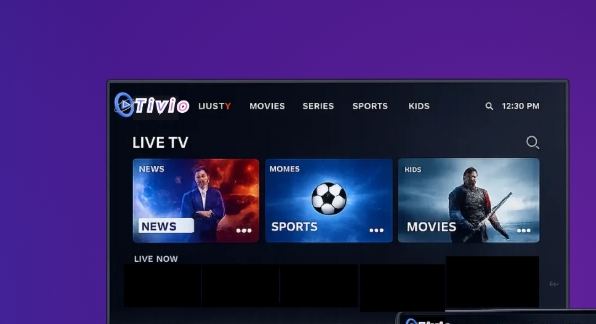
Before spending hundreds of pounds on another smart TV, consider giving your existing setup a different role. With compatible equipment and an IPTV service such as Tivio, that familiar screen could become somewhere you actually want to spend an evening.
Is Your Television Old, or Just Uninteresting?
There’s a difference between a television that needs replacing and one that needs a better way to access entertainment.
A damaged panel, persistent picture faults or failing connections are hardware problems. Adding a service won’t repair them. But an awkward interface, limited viewing options or outdated built-in apps don’t necessarily mean the display has reached the end of its useful life.
Think about the last time you watched something you genuinely enjoyed. Were you distracted by the television’s picture, or did the screen disappear into the experience?
If films still look good and you can follow a football match comfortably, there may be plenty of life left in it.
Start by identifying what bothers you. “I can never find anything to watch” calls for a different solution from “there’s a dark patch across the screen”.
What IPTV Changes About Your Setup
IPTV delivers television through an internet connection. Depending on the service and application, that can bring live channels and on-demand viewing into an interface you access through your television or a connected device.
The useful change is choice and accessibility. Instead of relying entirely on the software installed when you bought the television, you can build a viewing setup around a compatible player.
That matters when the panel has aged better than its smart features.
You don’t need to understand the technical details to appreciate the difference. A television that previously offered little beyond familiar broadcasts can become a more flexible entertainment screen.
The result depends on the service, your internet connection and the equipment running it. IPTV isn’t a hardware upgrade, but it can change how useful your existing hardware feels.
Where Tivio Fits Into the Picture
Tivio can form the service side of that refresh, giving you another way to organise your television viewing without making a new screen the starting point.
The sensible approach is to begin with what you actually watch. Perhaps your household switches between live television during the day and films in the evening. Perhaps the spare-room TV gets ignored because accessing anything interesting takes too much effort.
Before choosing a Tivio plan, check the current channel and on-demand availability against those habits. Confirm device compatibility and any connection limits too.
Then set up the viewing options you’ll use regularly.
That’s how an ordinary television becomes more appealing: it starts serving a purpose in your routine. A well-chosen setup might turn the spare room into a weekend film spot or make the main television easier for everyone to enjoy.
Even a Non-Smart TV May Have Options
Your television doesn’t necessarily need built-in apps to work with an internet-based viewing setup.
If it has a suitable HDMI input, a compatible external streaming device can provide the apps and internet connection while the television handles the picture and sound.
For older smart TVs, this can also offer a way around slow or unsupported built-in software. You select the appropriate HDMI input and use the connected device’s interface instead.
However, compatibility needs checking before you buy anything. Confirm that the device supports the player required for your Tivio setup, including its operating-system requirements.
Also check power requirements, remote-control arrangements and available connections. A streaming device that creates three new inconveniences won’t feel like much of an improvement.
The goal is to make watching easier, with as few unnecessary steps as possible.
Make the First Evening Feel Different
Once the service is working, resist the temptation to spend the entire evening scrolling.
A little organisation makes the upgrade feel useful immediately.
Create a favourites list if your player supports it. Keep it short enough that finding something remains easy. Put your regular channels first, then explore other options when you have time.
Check the programme guide, where available, and learn how to return to the main screen. If others share the television, show them the basics before handing over the remote.
Choose something you already wanted to watch for that first evening. It gives the setup a proper test and avoids the familiar trap of browsing endlessly without watching anything.
A fresh television experience comes from removing small frustrations as much as adding more entertainment.
Give Your Connection Some Attention
An older screen can still display an enjoyable stream, but unreliable connectivity will spoil it.
Test the connection where the television sits. A strong Wi-Fi signal beside the router doesn’t guarantee equally good reception across the house.
Use Ethernet if your equipment supports it and running a cable is practical. Otherwise, experiment with router placement and keep the streaming device away from cramped, poorly ventilated spaces.
Match picture quality to your setup. A 1080p television won’t become a 4K display because you select a stream labelled 4K.
Likewise, replacing the television won’t automatically solve problems caused by weak Wi-Fi or an unstable source.
Try the Refresh Before Replacing the Screen
There are good reasons to buy a new television: a larger picture, improved accessibility or replacing failing hardware.
But boredom alone is worth investigating first.
Check your existing screen, confirm a compatible Tivio setup and organise it around what your household enjoys. Understand the current subscription terms and content availability before committing.
You may discover that the television wasn’t the part holding your evenings back. It simply needed a more useful way to bring entertainment into the room.