- Change theme

Digital Car Maintenance: A Mazda Navigation Update Checklist for Modern Drivers
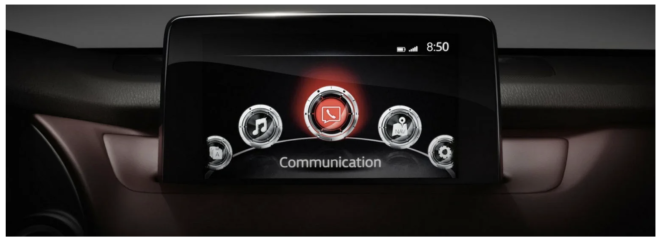
Record the current map edition beside the service history, tyre information and software version. Include the date it was checked, not only the year
20:14 17 September 2026
Vehicle maintenance is no longer limited to oil, tyres and mechanical inspections. Drivers also depend on digital components that age in a different way. A navigation unit can remain physically healthy while its stored road network falls behind new bypasses, addresses and traffic patterns. Reviewing Mazda map data is therefore a form of digital maintenance: infrequent, deliberate and based on the way the vehicle is actually used.
The job should be approached like replacing any specified part. First identify the installed system, then compare the full product code and region, install according to instructions and verify performance. Skipping the identification stage is equivalent to ordering a filter because it looks approximately the right size.
Add map version to the vehicle record
Record the current map edition beside the service history, tyre information and software version. Include the date it was checked, not only the year printed on a card. This note gives the owner a baseline and prevents the same detective work from being repeated before every holiday.
In a household with several Mazdas, keep separate records. Similar dashboards do not prove that navigation media is interchangeable. Model generation, production month and original market can produce different requirements.
Inspect the symptoms before deciding to update
Missing permanent roads, incorrect junctions and failed searches for established addresses are strong signs that the database deserves review. An inaccurate current position or a card that disconnects intermittently may indicate a reader, antenna or system problem instead. New map data should not be expected to repair unrelated hardware.
Write down examples. A specific absent bypass is more informative than saying the navigation feels old. Evidence helps determine whether a newer edition is likely to solve the inconvenience and provides a clear test after installation.
Identify Mazda Connect correctly
Mazda Connect, Mazda Connect 2 and earlier TomTom- or Denso-based solutions use different navigation environments. A vehicle name and registration year narrow the range but may not identify the system. Equipment and production changes can place different units in similar cars.
Open the settings menu and photograph the system-information screens. Check the owner documentation. If removable media is present, allow the unit to shut down before taking it out and capture the complete label in good light.
Treat the complete identifier as a specification
Part numbers often share a prefix while their final characters describe region or revision. Copy every character, including hyphens and suffixes. Comparing only the first group creates the risk of matching the correct family but the wrong product.
Combine the code with infotainment generation, production period and original sales market. When those fields agree with the product description, confidence rises. When one conflicts, pause and request clarification instead of assuming that the latest date will override the mismatch.
Review the regional requirement
An imported vehicle can retain a navigation configuration from another market. Menu language and current registration do not automatically change it. European, North American and other editions may use different data and validation even though the media looks identical.
For travel, list destination and transit countries. Check the published coverage rather than relying on the word “Europe.” A planned route should remain covered when congestion or weather forces a reasonable diversion.
Compare a Mazda-specific product range
Once the vehicle record is complete, compatible Mazda navigation media can be reviewed at Mazda SD navigation updates from Navi World. Use the system generation and full identifier as the first filters, followed by map region and supported production period.
Price and edition year belong at the end of the process. Clear specifications, traceable provenance and support are more valuable than a cheap card with an uncertain history. Keep the product page and confirmation until validation is finished.
Do not confuse maps with firmware
Map media refreshes geographic information. Firmware controls the head unit, menus and integrations. A navigation card does not automatically add smartphone projection, and a software update does not necessarily include current streets. These are separate maintenance categories.
Never install unrelated firmware merely because a card is not recognized. A procedure for another Mazda generation can damage a working configuration. If a product states a software prerequisite, confirm it for the exact unit.
Clean installation is preventive maintenance
Park securely, shut the infotainment down and maintain stable vehicle power. Hold an SD card by its edges and insert it without force. Do not format it, rename folders or copy files from another edition. Navigation media may contain structures that are not obvious in a normal file browser.
Allow enough time for first-use validation. Some products may become associated with the vehicle. Keep the old card in a protective case and label it with the car it belongs to, preventing accidental reuse in another vehicle.
Use a maintenance-style test sheet
Test current position, local address search, a known route, spoken instructions and recalculation. Add a recently constructed road and several destinations within the new coverage area. Mark each result rather than relying on a general impression after one drive.
Repeat the startup several times over a few days. An intermittent reader problem may not appear during a single test. If the old media works consistently and the replacement does not, the compatibility evidence deserves another review.
Check route preferences after any reset
Maintenance or a battery event can alter stored preferences. Review avoidance of tolls, motorways, ferries and unpaved roads. A setting left from a scenic trip can make normal routing look defective even when the map is accurate.
Compare the proposed distance with another source while parked. Large differences are a useful diagnostic clue. Correct preferences before concluding that the database itself is responsible.
Maintain destination quality
Favorites also become outdated. Businesses move, offices change entrances and homes are renamed in the list without a precise address. Remove duplicates and replace vague labels. Save parking gates or visitor entrances for locations with large grounds.
Confirm time-sensitive services such as chargers, fuel stations and medical facilities through a current source. The map provides geography, not a guarantee of opening hours or equipment status.
Prepare for weak connectivity
Stored maps are valuable where mobile coverage fails. Keep a limited offline phone map as secondary support and carry a reliable charging cable. Save accommodation and reservation details in a separate note that opens without a network.
This arrangement has no single dependency. The Mazda supplies integrated route guidance, the phone adds live traffic when available and the note protects essential facts if both interfaces become inconvenient.
Include navigation in seasonal checks
Before summer travel, review foreign coverage, toll options and low-emission requirements. Before winter, consider seasonal closures and safer alternatives. The map itself does not certify whether a road is currently safe or legal, so official information remains necessary.
Schedule the review weeks before departure. That leaves time to verify, order, install and test without urgency. Last-minute changes create pressure that encourages skipped checks.
Fleet routines can remain simple
A small business can maintain a spreadsheet containing vehicle, system generation, map edition and update date. Test one compatible vehicle before applying the same plan to a confirmed identical configuration. Ask drivers to report exact errors and locations.
This converts complaints into maintenance data. Several reports around one new development may justify an update, while a single impossible shortcut may be a route-preference issue.
Protect the card reader
Do not remove media while the unit is reading it. Keep the slot free from dust and never insert tools. If detection fails, shut the system down and reseat the card once according to instructions. Repeated handling increases physical risk without adding diagnostic information.
Store unused media away from moisture, heat and static electricity. Do not add thick labels that can catch inside the slot. Digital maintenance still depends on ordinary physical care.
Judge update frequency by use
Buying every edition is not automatically sensible. Drivers who frequently visit expanding cities or travel internationally may benefit sooner. A car used on one stable local route may gain less from an annual change.
Review road changes, upcoming journeys and product coverage. The objective is dependable guidance appropriate to real use, not simply owning the largest version number.
Frequently asked questions
Is navigation maintenance required every year?
No. Review periodically and update when coverage changes and travel needs justify a compatible edition.
Can a generic SD card replace Mazda media?
Not merely because it has enough capacity. The system expects specific data, structure and possibly validation.
Should firmware be updated at the same time?
Only when the exact system and product instructions require it. Map and firmware maintenance have different purposes.
What is the best diagnostic tool?
A record of versions, full codes, exact messages and comparison with the old working card provides a strong starting point.
Conclusion
Digital car maintenance is disciplined rather than frequent. Identify the Mazda platform, document its current state, choose media by full specification and validate the change through repeatable tests. This protects both the data and the hardware.
With an accurate record and a modest backup plan, navigation remains a dependable part of vehicle ownership. The update then serves a clear operational need instead of becoming an experiment with an unfamiliar SD card.