- Change theme

How to delete my CV for Success account?
If you’ve decided that it’s time to close your CV for Success account, you’re in the right place.
00:12 28 November 2025
If you’ve decided that it’s time to close your CV for Success account, you’re in the right place. Deleting an online account can sometimes feel tricky, but I’m here to walk you through the process step by step, based on my own experience.
Follow these simple steps to remove your account safely and quickly.
Step 1: Go to the Homepage
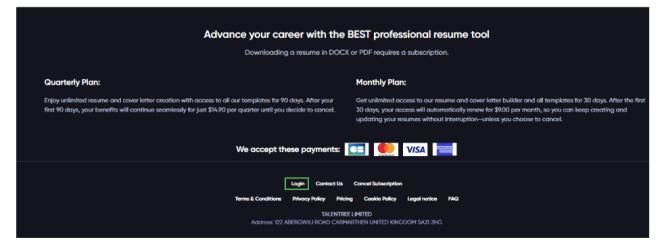
Start by visiting the CV for Success homepage. Once you’re there, scroll down to the footer section of the page. This is where important links, including login and account settings, are located.
Step 2: Open the Login Form
In the footer of the homepage, click the Login button. A sign-in form will appear where you can enter your login details, which should be the same email and password you used to sign up for your CV for Success.
Step 3: Sign In to Your Account
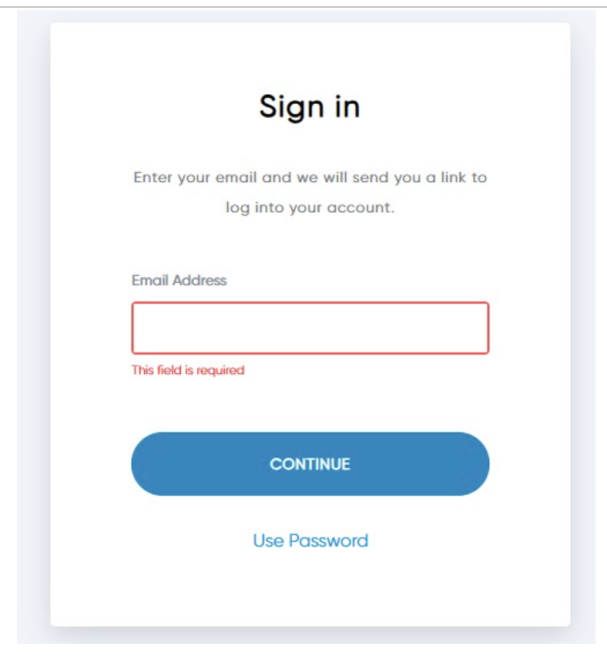
Enter the email address you used to sign up for the CV for Success. After submitting your details, you may receive a confirmation email to verify your identity, so be sure to check your inbox and follow the instructions.
Step 4: Access Your Dashboard
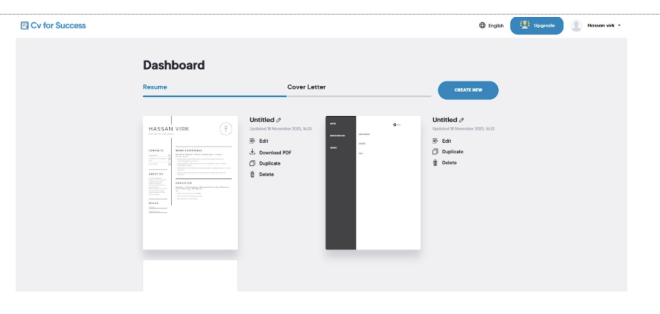
After logging in, you’ll see your resume dashboard—all the resumes you’ve created will be displayed here.
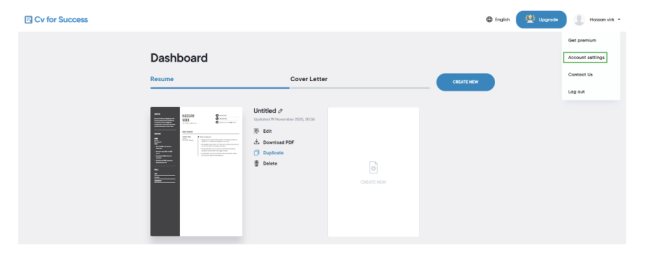
At the top-right corner, you’ll see your name or account icon. Click it, and a dropdown menu with four options will appear.
Step 5: Go to Account Settings
From the dropdown, click Account Settings. This will take you to a page where you can manage your personal information and account preferences.
Step 6: Locate the Delete Account Option
Scroll down the Account Settings page until you see the Delete My Account button. Click on the delete my account button.
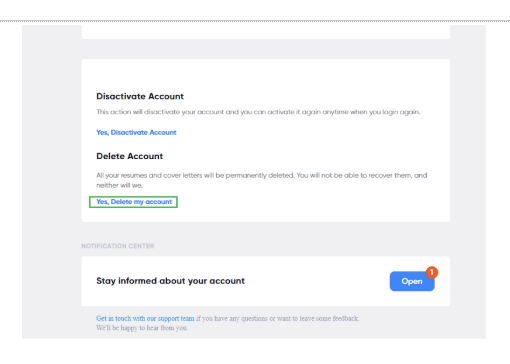
Step 7: Confirm and Delete Your Account
After clicking the Delete button, a confirmation dialog box will appear asking you to confirm the deletion. Once you confirm, your account and all associated data will be deleted immediately, and your CV for Success account will be permanently removed.
Tips for Deleting Your CV for Success Account
- Backup Your Data: Before deleting your account, download any resumes, documents, or information you may need in the future. Once the account is deleted, this data cannot be recovered.
- Double-Check Email Access: Make sure you have access to the email associated with your account, as you may receive a confirmation email to verify your identity.
- Clear Saved Logins: If you use a password manager or browser auto-fill, remove your CV for Success credentials after deletion to avoid confusion.
- Consider Alternatives: If you only want to stop using the service temporarily, check if deactivating your account or unsubscribing from emails is sufficient instead of permanent deletion.
- Be Patient: Some confirmation emails may take a few minutes to arrive, so check your inbox and spam folder carefully.
Conclusion
Deleting your CV for Success account is simple when you follow the right steps, but it’s important to approach it carefully to avoid losing important data. By backing up your resumes, confirming your email, and following the deletion process, you can remove your account safely and efficiently.
Managing your online accounts responsibly is a key part of maintaining a secure digital presence. I hope this guide has made the process clear, easy to follow, and stress-free for anyone looking to delete their CV for Success account.