- Change theme

12 Practical Ways to Boost Your Home WiFi in 2026
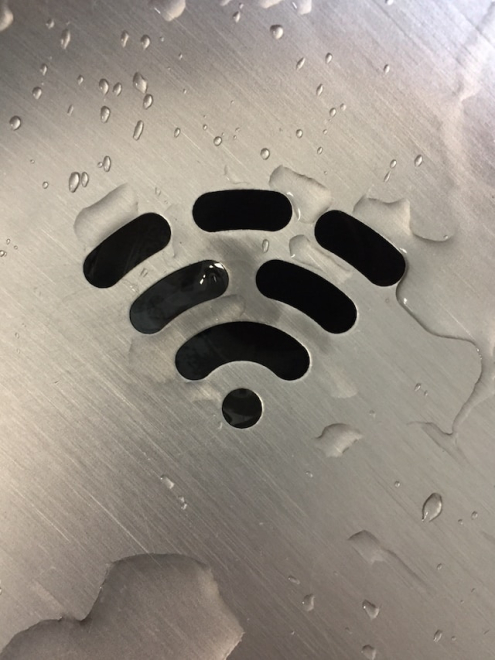
Practical tips to boost home WiFi in 2026, from router placement and mesh systems to channel tuning, QoS, and smarter ISP choices today.
04:30 19 March 2026
Slow WiFi is one of those everyday annoyances that can throw off your whole routine. Calls start lagging, films buffer at the worst moment, and large downloads seem to take forever. The upside is that most home network issues can be improved without tearing out your setup and starting again. Whether you're working from home in Amsterdam or gaming from a flat in Rotterdam, these practical fixes can help you get more out of your connection.
Start With Router Placement
Router placement has a bigger impact than many people think. If it's hidden behind a TV stand or pushed into a far corner, a lot of the signal is already being weakened before it reaches your phone, laptop or smart TV.
Follow these placement principles:
- Central location: Place the router as close to the centre of your home as possible
- Elevated position: Routers broadcast signals downward and outward, so higher placement improves coverage
- Away from interference: Keep distance from microwaves, cordless phones and thick concrete walls
- Open space: Avoid enclosed cabinets or drawers that trap heat and block signals
Sometimes even shifting the router a few metres is enough to improve coverage across the whole home.
Mesh Networks vs Range Extenders
If you live in a larger home or a multi-floor apartment, one router often won't cover everything properly. In most cases, the choice comes down to two options: mesh networks or range extenders.
Range extenders are the more budget-friendly option and usually simple to install. They receive your existing WiFi signal and repeat it into another area. The trade-off is that they often reduce available bandwidth and may create a separate network name, which can make devices jump between connections less smoothly.
Mesh networks work differently. They use multiple nodes that talk to each other and create a single, unified network throughout the home. That's why systems from brands like Eero, Google Nest and TP-Link Deco have become so popular in Dutch households. Mesh setups cost more up front, but they usually deliver steadier speeds across bigger spaces and do a much better job of eliminating dead zones.
For most homes above 100 square metres, a mesh system is usually the better long-term investment.
Optimise Your Channel and Frequency Settings
Most modern routers broadcast on two frequencies: 2.4GHz and 5GHz. Once you know what each one does best, it's easier to decide which devices should use which band.
- 2.4GHz: Longer range, better wall penetration, but slower and more congested
- 5GHz: Faster speeds, lower latency, but shorter range
In busy urban areas like central Amsterdam or Utrecht, the 2.4GHz band is often packed with neighbouring networks. Logging into your router's admin panel and manually switching to a less crowded channel can make a real difference. Tools like WiFi Analyzer can help you spot which channels are the busiest.
If your router supports WiFi 6 or WiFi 6E, the 6GHz band can offer even less interference and noticeably better performance for compatible devices. The Wi-Fi Alliance has detailed guidance on the latest WiFi standards and what newer hardware can realistically deliver.
Control Bandwidth and Prioritise Devices
Not every device in your home needs the same share of bandwidth. A 4K stream on the living-room TV shouldn't be competing equally with an important work call.
Most newer routers come with Quality of Service (QoS) settings, which allow you to prioritise certain devices or apps. Giving your work laptop or video calling software top priority helps make sure those tasks stay stable when the network is busy.
Other practical bandwidth management steps:
- Schedule large downloads for off-peak hours (overnight)
- Disconnect devices that are idle but still connected
- Check for background updates on smart home devices
- Use a wired ethernet connection for stationary high-demand devices like desktop computers or smart TVs
Average household data use in the Netherlands has risen steadily over the past few years. Statista data on Dutch internet usage shows just how essential fast, reliable internet has become in daily home life, which makes sensible bandwidth management more important than ever.
Update Firmware and Reconsider Your ISP Plan
Router firmware updates often include both security fixes and performance improvements, yet plenty of people never install them. Checking your router's admin panel every few months is a small bit of maintenance that can pay off surprisingly well.
It's also worth taking another look at your ISP contract. Many households in the Netherlands are still on older fibre or cable packages that no longer match what providers now offer. Companies like KPN, Ziggo and T-Mobile regularly refresh their plans, so a quick comparison might reveal a faster option for roughly the same monthly cost.
The Bigger Picture of Digital Performance
A strong home connection now sits at the centre of how Dutch households work, stream and relax. Reliable internet supports everything from remote meetings to entertainment platforms that rely on stable, low-latency performance. Streaming services, gaming platforms and other online entertainment all depend on a consistent connection to run smoothly. Dutch users browsing options like a top 10 online casino will notice that a well-tuned home network can make a real difference to the overall experience. These platforms are sensitive to bandwidth and latency, so the tips in this article are directly relevant there too.
Final Thoughts
Improving your home WiFi doesn't have to mean expert-level networking knowledge or a big hardware upgrade. Better router placement, the right setup for your home's size, smarter channel selection and basic bandwidth control can add up to a noticeable improvement. For Dutch households dealing with ever-heavier internet use, these are practical, affordable changes that genuinely work.