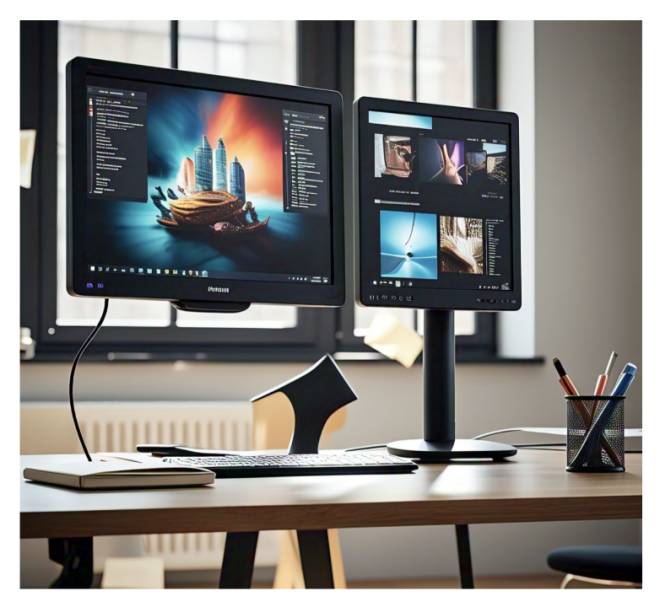
Indeed, students often load themselves with assignments, and they may be working remotely, necessitating the carrying of dual screens, which will handle workloads much better. However, this is not the case for every employee, especially regarding space. Not everyone has the space and the money to afford a bulky second monitor. This is where you can come in with bright, budget portable monitors. They are small and light and cause no hassle for study, virtual meetings, presentation purposes, and even gaming.
Affordable power portable display screens? Well, search no more because this guide will highlight. The best-in-budget portable monitors with trusted brands such as ASUS, Lepow, and AOC, as well as spotlight an extremely loaded one from UPERFECT. Whether it is the best 4K portable monitor for excellent visibility or a 120Hz gaming monitor to enjoy fluid, optimized performance, this guide will have it all.
Why Portable Monitors Are a Game-Changer for Students and Remote Workers
Portable monitors are designed for flexibility. They are a one-of-a-kind instant screen expansion for multitasking, research, note-taking, and many other things without claiming precious permanent desk real estate. They can also be carried for use between classes, cafes, and coworking spaces, thus bringing them into the must-have tool for the portable productivity list.
Key Benefits:
- Increased screen space for multitasking
- Lightweight and travel-friendly
- Plug-and-play setup with laptops, tablets, and phones
- Affordable options for every budget
1. UPERFECT 15.6" 4K Portable Monitor – Best for Sharp, Professional Visuals
Resolution: 3840 x 2160 (4K UHD)
Size: 15.6 inches
Panel Type: IPS
Refresh Rate: 60Hz
Price: Under $250
UPERFECT's 15.6 4K portable monitor is the best when it comes to combining ultra-high resolution, portability, and budget-friendliness. Ideal for students in design, architecture, media, and other visually intense. The monitor features fantastic color computation, a 4K ultra-high-definition display, and the best colors, graphics, video, and photos.
Key Features:
- 4K resolution for exceptional clarity
- USB-C and mini HDMI support for versatile connectivity
- Built-in stereo speakers and HDR mode
- Slim design with a durable magnetic smart case
Why We Recommend It:
UPERFECT has built a strong reputation for offering premium portable monitors at accessible prices. This 4K model delivers excellent picture quality for creative and professional work without costing a fortune.
2. 120Hz Gaming Monitor: Smooth, Responsive, and Game-Changing
Most modern 120Hz gaming monitor displays boast top-tier performance and graphics, ideal for applications in smooth frame rates, valuing extremely different responsiveness, It appeals to the imagination of most gamers in a way that few other devices can. Refreshing 120 times per second, such monitors allow for the smoothest gameplay possible, reducing motion blur and tearing across the screen, such that during high-action scenes or competitive titles, those playing against each other can see the difference in playability. Certainly, for racing or eSports, these monitors are valuable to have compared to traditional 60Hz displays, which have made gaming more competitive for FPS fans.
And when supplemented, a 120Hz monitor is the most optimum component suited for tasks like scrolling, playing back, or even multitasking. With features like low input lag, adaptive sync technologies (G-SYNC or FreeSync), and high resolution (from Full HD to QHD and 4K), most of them match both performance and visual quality in their buzz. If you wanted to prepare a setup whose display is so highly enhanced with fluid skills, it may be considered a good investment.
Key Features of a 120Hz Gaming Monitor:
- 140Hz refresh rate with buttery smooth, even visuals
- Improved gameplay clarity by decreasing motion blurring and tearing
- Very little latency or input lag to favor all competitive gaming
- Adaptive Sync (particularly FreeSync or G-SYNC): for games that boast minimal judder and tearing.
- UPERFECT for fast-paced genres such as FPS, racing, and battle royale gaming
- Better productivity and a smoother daily performance
3. ASUS ZenScreen MB16AC – Portable, Sleek, and Easy on the Eyes
Resolution: 1920 x 1080 pixels Full HD
Screen Size: 15.6 inches
Panel Type: IPS
Refresh Rate: 60Hz
Price: Under $200
ASUS ZenScreen MB16AC is for an always-on-the-go individual. Ultra-slim, stylish, and functioning equally well with eye-care features like a blue light filter and flicker-free technology that alleviate eye strain during those long hours of study or work.
Pros:
- Lightweight and elegant design
- Eye-care tech for extended use
- USB-C hybrid signal support (USB-A compatible with driver)
Cons:
- Slightly dim under direct sunlight
- No touchscreen functionality
Best For: Students and professionals who work long hours on documents or reading tasks.
4. INNOCN 15.6” 120Hz Monitor – Smooth Performance for Work and Play
Resolution: 1920 x 1080 Full HD
Size: 15.6 inches
Panel Type: IPS
Refresh Rate: 120Hz
Price: Around $200
And do you need a display that handles both working and playing? The INNOCN, with a 120Hz refresh rate, has got you covered because of its ultra-smooth graphics, making it suitable for easy document scrolling after work or gaming. High refresh rates mean no lag and smooth action with every change of scene.
Key Highlights:
- 120Hz refresh rate for fluid performance
- Lightweight and slim design
- Good color reproduction with low blue light emission
Why It's Great:
This monitor is solid for students and remote workers who enjoy casual gaming or streaming. The high refresh rate sets it apart from basic 60Hz screens.
5. AOC 16T2 – Best Touchscreen Option
Resolution: 1920 x 1080 Full HD
Size: 15.6 inches
Panel Type: IPS Touchscreen
Refresh Rate: 60Hz
Price: Around $220
The AOC 16T2 is a feature-rich portable monitor with a 10-point capacitive touch and built-in battery power. It's excellent for creatives, presenters, or students who prefer interactive screens.
Pros:
- Touchscreen functionality
- Built-in 8000mAh battery
- Dual USB-C ports and Micro-HDMI
Cons:
- A glossy surface may reflect light
- Slightly heavier than non-touch models
Best For: Presentations, digital note-taking, artists, and touchscreen fans.
Comparison Table:
|
Monitor |
Resolution |
Size |
Panel Type |
Refresh Rate |
Key Features |
Best For |
Price |
|
UPERFECT 15.6" 4K Portable Monitor |
3840 x 2160 (4K UHD) |
15.6" |
IPS |
60Hz |
4K resolution, USB-C & mini HDMI, HDR, Smart case |
Designers, media professionals, students in visual fields |
Under $250 |
|
120Hz Gaming Monitor |
Full HD to 4K (varies) |
Varies |
IPS |
120Hz |
Ultra-smooth visuals, Adaptive Sync, low input lag |
Competitive gamers, eSports, high-action gaming |
Varies |
|
ASUS ZenScreen MB16AC |
1920 x 1080 (Full HD) |
15.6" |
IPS |
60Hz |
Blue light filter, flicker-free, USB-C hybrid |
Long-hour readers, students, office work |
Under $200 |
|
INNOCN 15.6” 120Hz Monitor |
1920 x 1080 (Full HD) |
15.6" |
IPS |
120Hz |
120Hz refresh, slim design, low blue light |
Casual gamers, remote work, smooth scrolling |
Around $200 |
|
AOC 16T2 Touchscreen |
1920 x 1080 (Full HD) |
15.6" |
IPS Touch |
60Hz |
10-point touch, 8000mAh battery, dual USB-C |
Presentations, artists, touchscreen users |
Around $220 |
Recommended Product:
TheUPERFECT 15.6 4K Portable Monitor is a great investment, considering that it is worthy of school equipment, especially for those engaged in visually taxing fields of study, such as design, media, and architecture. Those seeking 4K UHD resolution at 3840 x 2160 in an IPS panel and with HDR capability will be treated to nice, clear, sharp, vivid pictures ideal for editing, creative work, or watching multimedia. Having a solid reputation in quality products offered at quite reasonable prices, UPERFECT delivers great value on high-profile features such as USB-C/mini HDMI connectivity, stereo speakers built in, and a smart magnetic cover. It is portable, nice to look at, and reliable for professional or academic purposes- the most trustworthy investment under $250.
How to Choose the Right Budget Portable Monitor
Thus, it is essential to prioritize features according to specific needs among all these options. Here are several things to consider:
- Resolution: Full HD is available mainly for everyday normal use, while a 4K portable monitor encompasses far superior clarity in visuals and media work.
- Refresh Rate: Sometimes, standard 60Hz can still be matched by a 120Hz gaming monitor in well-performing games or for faster multitasking.
- Connectivity: HDMI, USB Type-C, and Power Passthrough will see plug and play at its easiest.
- Weight and Size: A Thin and lightweight (preferably less than 2 kilograms) screen is UPERFECT for students and mobile workers' ease of portability
- Special Features: Touchscreen, eye care mode, built-in speakers, and foldable stands make the experience enjoyable.
Enhance Productivity with the Right Monitor
An inexpensive portable monitor for a laptop can change how students and people working at home can handle everyday routines. Whether writing papers, attending online classes, photo-editing, or switching between applications. It all gets smoother and more productive with a second screen.
The UPERFECT 4K Portable monitor is the crown jewel for someone looking for outstanding display quality and price. For those inclined to performance over resolution, the INNOCN 120Hz gaming monitor offers great versatility with liquid smoothness at the best price.
There is a portable monitor for everybody, from the performance-hungry to the budget-conscious, that will fit right into and improve their work or study environment.