
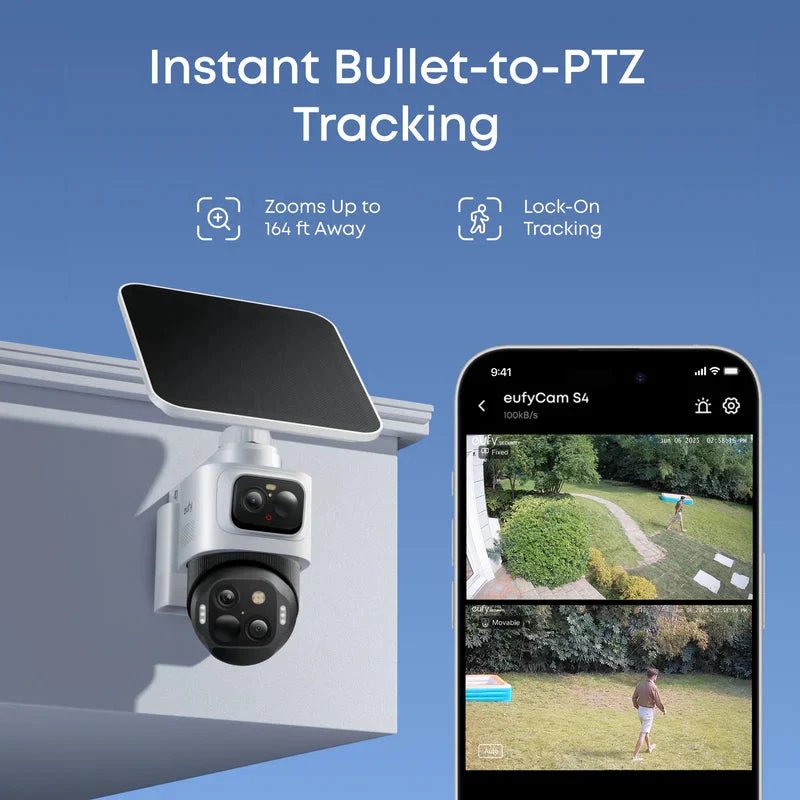
Feeling comfortable at home is important, whether you are inside the house, at work, or away for a few days. While locks and outdoor lighting remain useful parts of home protection, technology has made it easier to keep an eye on what is happening around your property. Home security cameras are one option that can help homeowners monitor important areas and stay informed about activity.
However, choosing a camera system is not simply about buying the latest model. Different homes have different layouts, routines, and security needs. A camera that works well for one household may not be the right choice for another. Understanding a few key points before making a decision can help you build a system that is practical and easy to manage.
Think About Your Daily Routine First
Your everyday habits can tell you a lot about the type of camera system you need. For example, consider when your home is usually empty, which entrances are used most often, and whether packages are regularly delivered to your doorstep.
A household where people are away during the day may want to monitor the front entrance and driveway. Someone who travels frequently may prefer a setup that allows them to check their property remotely. Families with pets might be more interested in keeping an eye on certain indoor spaces. Write down the areas that matter most before comparing products. This gives you a clearer idea of what you need and helps prevent spending money on features that may not be useful in everyday life.
Wired or Wireless: Which Setup Makes More Sense?
One of the first choices is deciding between wired and wireless cameras. Both options can be useful, but they suit different homes and installation preferences. Wired cameras connect through cables for power and, depending on the system, data. They can be a good option for homeowners who prefer a more permanent installation. However, running cables may require additional planning, especially in finished homes where walls and ceilings are already in place.
Wireless models are often easier to position because they do not need the same type of cable connection. Some use rechargeable batteries, while others still require a power outlet. It is important to remember that wireless cameras usually depend on a reliable Wi-Fi connection to provide remote access and other connected features. Think about the location, available power sources, and installation effort before choosing either type.
Look Beyond the Camera's Resolution
Video quality is important, but it should not be the only factor in your decision. A camera with a high resolution may capture detailed footage, yet its usefulness also depends on where it is installed, the lighting conditions, and the viewing angle. For example, a camera facing a bright window may struggle with changes in light. A camera positioned too high or too far away may not capture the details you want to see. Before installation, check the view from the camera's intended position and make sure important areas are visible.
Night performance deserves attention too. If you need to monitor a driveway or garden after dark, look for information about night vision and low-light recording. Some security cameras also include built-in lighting, which may help illuminate an area when movement is detected.
Understand Storage Before You Buy
A camera can record useful footage, but you should also know where that footage will be stored. Storage arrangements vary between products, so check the details rather than assuming every system works in the same way. Some cameras support local storage, which may involve a memory card or a separate storage device. Others offer cloud storage, where recordings are saved online. Certain products provide a choice between storage methods.
Consider how easily you can access recordings, how long they are kept, and whether extra fees apply. Also check whether important features require a subscription. A camera may appear affordable at first, but ongoing costs can affect its overall value. Eufy offers home monitoring products with different features and storage approaches, making it useful to compare the available options against your household's needs.
Make Privacy Part of the Installation Plan
A system of security cameras should help protect your home without unnecessarily recording other people. Before mounting a camera, check exactly what appears in its field of view. Aim it toward your own entrances, garden, or driveway instead of directly into a neighbor's windows or private outdoor space. Many systems allow users to adjust motion zones or limit certain parts of the image. These settings can help keep alerts focused on relevant activity and reduce unnecessary recording.

Account security is equally important. Use a strong, unique password for your camera account and enable additional login protection when available. Keep the camera's software updated so that you benefit from available improvements and security fixes.
Avoid These Common Setup Mistakes
Even a good camera may be less useful when it is installed without enough thought. One common mistake is placing every camera too high. While a higher position can provide a wider view, it may also make it harder to capture useful details near an entrance. Another mistake is ignoring the Wi-Fi signal. A camera placed too far from the router may experience connection problems. Test the signal before choosing the final position.
It is also easy to forget about maintenance. Outdoor cameras can collect dust, water marks, and dirt on their lenses. Check them occasionally, clean them according to the manufacturer's instructions, and make sure they are still pointing in the right direction.
Final Thoughts
Choosing home security cameras involves more than comparing prices or technical specifications. Start by understanding your daily routine, identify the areas you want to monitor, and consider installation type, video quality, storage, privacy, and connectivity. A well-planned setup does not need to cover every part of your property. It should focus on the places that matter most and be simple enough for your household to use regularly. By comparing your options carefully and avoiding common setup mistakes, you can create a home monitoring system that supports your everyday peace of mind.
Frequently Asked Questions
There is no fixed number. It depends on the size and layout of your property, the number of entrances, and which areas you want to monitor. Start with the most important locations and add cameras when needed.
2. Do wireless home security cameras need Wi-Fi?
Most connected wireless cameras use Wi-Fi for features such as remote viewing and app notifications. Check the product specifications because connection requirements can differ between models.
3. Can home security cameras record without a subscription?
Some cameras support local storage without a monthly subscription, while others require a paid plan for certain recording or cloud features. Review the storage details before purchasing.
4. Where should outdoor cameras be installed?
Common locations include the front entrance, driveway, garage, backyard, and side entrances. Choose positions that provide a clear view while avoiding unnecessary recording of neighboring properties.
5. How can I keep my security cameras working properly?
Check the camera connection, clean the lens when needed, review its position, and install available software updates. For battery-powered models, remember to check the battery level regularly.


