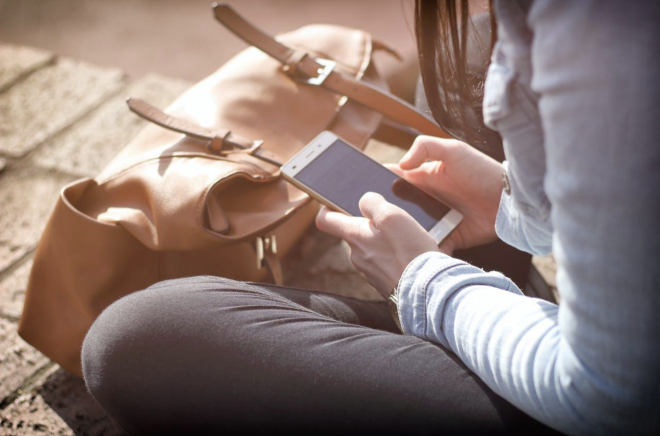
A phone now holds the bank card, the email inbox, the family photos and the codes that unlock most other accounts. Losing one to a thief is bad enough. Losing one that is unlocked, or whose passcode was watched being typed, is far worse. Most of the protection has to be set up before anything goes wrong, and it can be done in a single sitting.
The lock screen
A six-digit passcode is the usual minimum on current handsets. A longer code, or one mixing letters and numbers, is considerably harder to guess. Fingerprint and face unlock are convenient and perfectly sound for daily use, but the passcode is the fallback, and it is the one thieves try to learn by watching over a shoulder in a pub, on a train or at a bus stop.
Short auto-lock times help. So does hiding message previews on the lock screen, since one-time codes sent by text can otherwise be read without unlocking anything. Both iPhone and Android let owners limit what can be reached from a locked phone, including the quick settings that switch on flight mode. Turning that access off means a stolen handset can't be cut off from the network with a swipe.
Tracking and remote controls
Apple's Find My and Google's Find Hub, previously called Find My Device, both need to be switched on before a phone goes missing. They allow a handset to be located, locked or marked as lost from another device or a web browser. Offline finding settings let a phone be traced through nearby devices even when it has no connection of its own.
Recent iPhone software includes a setting called Stolen Device Protection. It adds extra checks and delays to sensitive changes, such as altering the Apple Account password, when the phone is away from familiar places like home or work. Recent versions of Android have their own theft protection settings, including automatic locking if a phone is snatched. Availability varies by handset and software version, so the settings menu is the place to check.
The SIM card
A SIM PIN stops a thief pulling the card out and putting it into another phone to receive texts. Network providers can also disable a lost SIM on request and issue a replacement that keeps the same number, which cuts off a thief's access to calls and messages. Owners who report a theft promptly leave a much smaller window in which verification codes can be intercepted.
Many providers now let customers add an account password or security phrase that must be given before a SIM swap or transfer is approved. The step targets a related form of fraud, in which a criminal persuades a network to move a number onto a new card without ever touching the original phone. Anyone whose accounts rely on text-message codes is exposed to that risk, and the extra check makes it harder to carry out.
Banking and account security
Phones that are stolen while unlocked are often used within minutes to reach banking apps, email and payment wallets. Email is the main target, because control of an inbox allows password resets on nearly every other account. Using a separate, strong password for email and turning on two-step verification gives that inbox a second barrier that does not depend on the phone alone.
Authenticator apps and hardware keys are generally regarded as safer than codes sent by text, because they cannot be read from a lock screen or diverted through a SIM swap. Banking apps typically ask for their own PIN or biometric check on top of the phone's lock, and some can be set to require a fresh login after a short period. Card controls inside those apps allow a lost card to be frozen at once, and banks run fraud teams that can be contacted around the clock when a phone disappears.
Backups and what follows a theft
Regular cloud backups mean photos, contacts and messages survive the loss of a handset, and a replacement phone can be restored to something close to its predecessor. Without a backup, a stolen phone can take years of memories with it, and no amount of tracking will bring them back if the device is wiped and sold on.
Once a theft happens, the usual sequence is to mark the phone as lost from another device, which locks it and can display a contact message on the screen. Owners are then advised to contact the network to block the SIM, change the passwords for email and banking, and report the theft to the police, since a crime reference is often needed for insurance claims and for some network procedures. Remote erasing is available, but it is generally left until recovery looks unlikely, because wiping the phone can end the ability to track it.
Insurers and networks vary in what they cover, and a claim can be refused if tracking or locking features were not enabled beforehand. Handset makers continue to add theft-related settings with each software release, so owners who last reviewed their phone's security some time ago may find new options waiting in the menus. For now, the protections that matter most are the ones already switched on when the phone is taken.
Photo: Unsplash