Smart glasses can be useful at work, but their value depends less on how much technology they contain and more on whether that technology solves an everyday problem. Hands-free calls, meeting notes and real-time translation all sound appealing. The harder question is whether wearing a connected device makes these tasks easier than simply using a phone or laptop.
For office workers, the most useful smart glasses may not be the ones with the most features. Comfort, reliability, privacy and compatibility with existing work routines often matter more than futuristic displays or built-in cameras.
Not All Smart Glasses Do the Same Job
Smart glasses cover several different types of wearable technology, and understanding the differences is an important first step.
Display-equipped glasses, such as those offered by XREAL, can create a virtual screen for entertainment or compatible computing tasks. Camera-enabled models, including Ray-Ban Meta glasses, focus on capturing photos and videos alongside audio and AI features.
Audio-focused smart glasses take another approach. Rather than adding a screen or camera, they use microphones, speakers and connected software to support everyday communication.
Each category solves a different problem. Someone inspecting equipment might appreciate a camera, while an employee working with multiple screens could benefit from a wearable display. A project manager spending the day in meetings may find audio recording and transcription more relevant.
The practical question is not which technology appears most advanced. It is which one fits the work being done.
Where Smart Glasses Could Make a Difference
Meetings and note-taking
Meetings are one of the more convincing applications for AI-powered eyewear. Important decisions often emerge during discussions, and taking detailed notes can distract participants from the conversation itself.
Smart glasses with recording and transcription features can help capture spoken information for later review. AI-generated summaries may also make it easier to identify decisions, questions and follow-up tasks.
However, transcription accuracy varies with background noise, overlapping speakers and unfamiliar terminology. Automated notes still require human checking, particularly when they involve financial figures, deadlines or client commitments.
For people who already use reliable meeting software, wearable recording may offer only a modest improvement. Its main advantage is convenience in situations where opening a laptop or handling a phone would interrupt the conversation.
Calls and multilingual communication
Open-ear audio offers another practical use for smart glasses. Wearers can listen to calls or spoken information without blocking their ears with conventional earbuds.
This can be useful when moving between desks, handling equipment or remaining aware of colleagues nearby. Open-ear speakers are not completely private, though, and sound leakage should be considered in quiet offices.
AI translation can also assist with international conversations. Some smart glasses work with companion applications to translate speech and deliver audio responses.
The technology is useful for understanding everyday exchanges, but translation quality depends on the languages, speech clarity and network connection. Professional interpreters remain important for sensitive negotiations and discussions where precise wording matters.
Why a Built-In Camera Is Not Always Necessary
Cameras make sense for jobs involving visual documentation, field inspections or hands-free photography. They are less relevant when the main task is listening to conversations and organising information afterwards.
Camera-free designs offer an alternative for people who have little need to capture images at work.

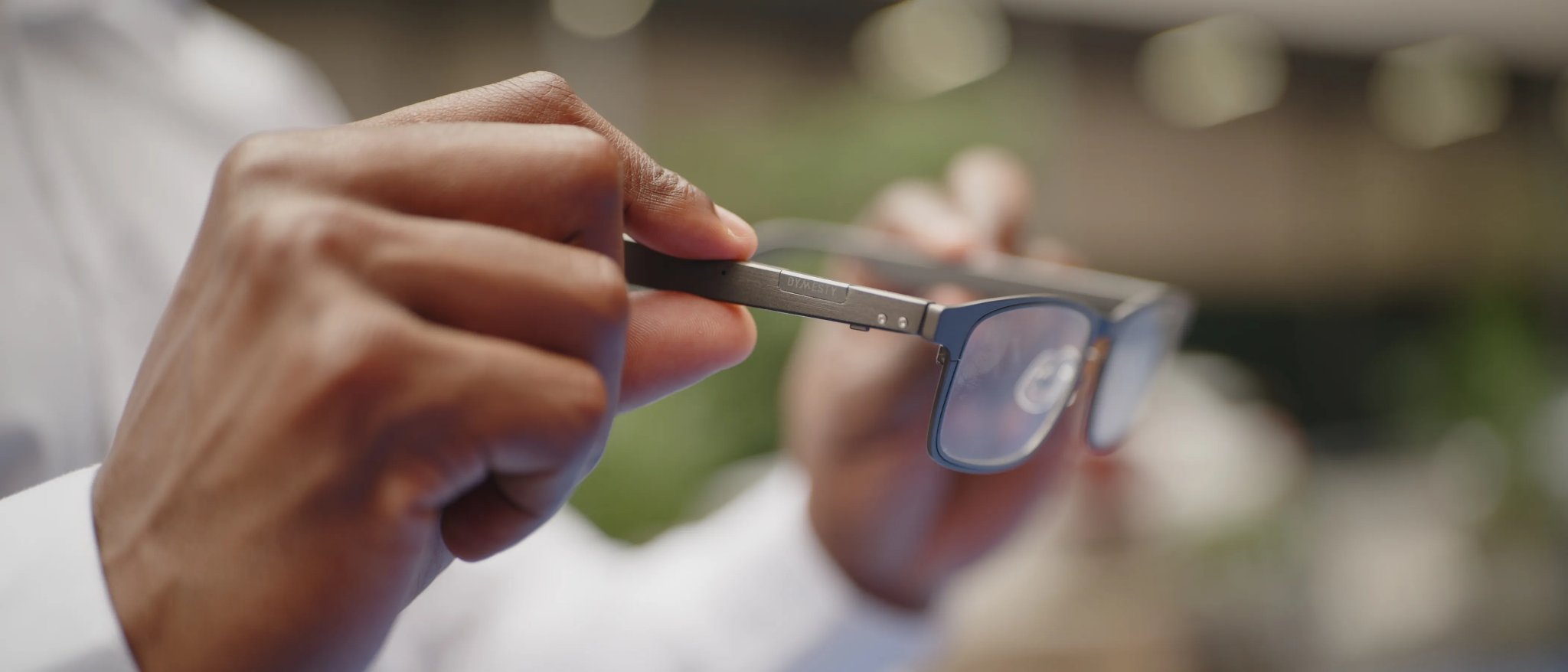
One example is Dymesty's camera free smart glasses. Designed around everyday professional communication, the Cook Edge combines a lightweight 35-gram titanium frame with open-ear audio, AI meeting transcription, automated summaries and real-time translation. During a busy meeting, users can focus on the discussion rather than constantly taking notes, then revisit recorded conversations to pick out key decisions and follow-up tasks. For professionals working with international colleagues, spoken translation offers another way to keep conversations flowing without repeatedly looking down at a phone.
The appeal lies in making useful technology part of something people already wear. Instead of adding another screen to manage, Cook Edge focuses on hands-free access to spoken information, with a camera-free design that may also be more comfortable for colleagues concerned about being filmed. It is a practical example of how smart glasses can support everyday productivity without turning the workplace into a technology showcase.
Removing the camera may address one concern about workplace wearables, but it does not eliminate questions about recording conversations or processing personal information.
Privacy Matters More Than the Hardware
Workplace privacy is one of the biggest practical considerations surrounding smart glasses. A device without a camera can still contain microphones, record conversations and send information to connected services.
In the UK, the Information Commissioner's Office advises organisations to consider their data protection responsibilities when recording meetings. Businesses need to establish an appropriate lawful basis, explain the purpose of recording and consider how information will be stored and retained.
Employees should therefore check workplace policies before using wearable recording equipment, especially during confidential meetings or conversations involving customers.
The distinction between recording audio and processing it through AI also matters. A device may be able to capture sound without an internet connection while requiring connectivity to produce transcripts, translations or summaries.
Businesses evaluating smart glasses should understand where recordings are processed, who can access them and whether the information can be deleted when it is no longer needed.
Comfort and Connectivity Can Make or Break the Experience
Smart glasses need to work as everyday eyewear before their advanced features become genuinely useful.
Weight, frame fit and compatibility with prescription lenses deserve attention. Even a relatively lightweight device can become uncomfortable if its nose bridge or temples do not suit the wearer.
Battery specifications also need careful interpretation. A manufacturer's typical-use estimate may reflect a mixture of standby time, calls and occasional AI features rather than continuous recording throughout a working day.
Connectivity introduces another consideration. Bluetooth audio may work with a paired phone, but advanced AI functions often depend on an application and internet access. Users should check which features remain available when mobile reception is poor.
Cost extends beyond the initial purchase, too. Prescription lenses, accessories and possible subscriptions can affect the overall value of a device.
The best comparison is therefore not simply between hardware specifications. It is between the complete experience of wearing and using the glasses during an ordinary working day.
How to Decide Whether Smart Glasses Are Worth Buying
Before investing in smart glasses for work, consider three practical questions.
What task will the glasses make easier? A clear answer might involve taking calls while working, capturing approved meeting notes or accessing spoken translation. Vague promises of greater productivity are not enough.
Can an existing device do the same job? Smartphones, wireless earbuds and meeting applications already provide many similar functions. Smart glasses need to offer a meaningful improvement in convenience, comfort or accessibility.
Will the device fit the working environment? Check prescription compatibility, workplace recording rules, phone support, battery requirements and the availability of a suitable internet connection.
A short trial in a realistic environment is more informative than relying entirely on promotional demonstrations. Testing call clarity, fit and everyday controls can reveal limitations that are difficult to judge from a specification sheet.
The Bottom Line
Smart glasses are becoming more practical for work, but they are not an essential upgrade for every professional.
Their strongest applications involve tasks where hands-free access makes a genuine difference, particularly communication, audio interaction and managing spoken information.
Camera-equipped, display-based and audio-focused glasses all offer different capabilities, and no single design suits every workplace.
For employees who spend much of the day at a desk with a laptop already open, the benefits may be limited. For those who move between meetings, rely on verbal information or regularly communicate across languages, smart glasses may provide a useful alternative.
Ultimately, the right pair should make an existing task simpler, not introduce another piece of technology that demands attention.